
The live ticker displays a feed of recent actions or alerts from the map. It updates every few seconds with new data from the trackers, colour coding lines based on the alert priority. Each active participant is assigned one line. You can drag the ticker around within the map window.
You can find more details on the alert types here.
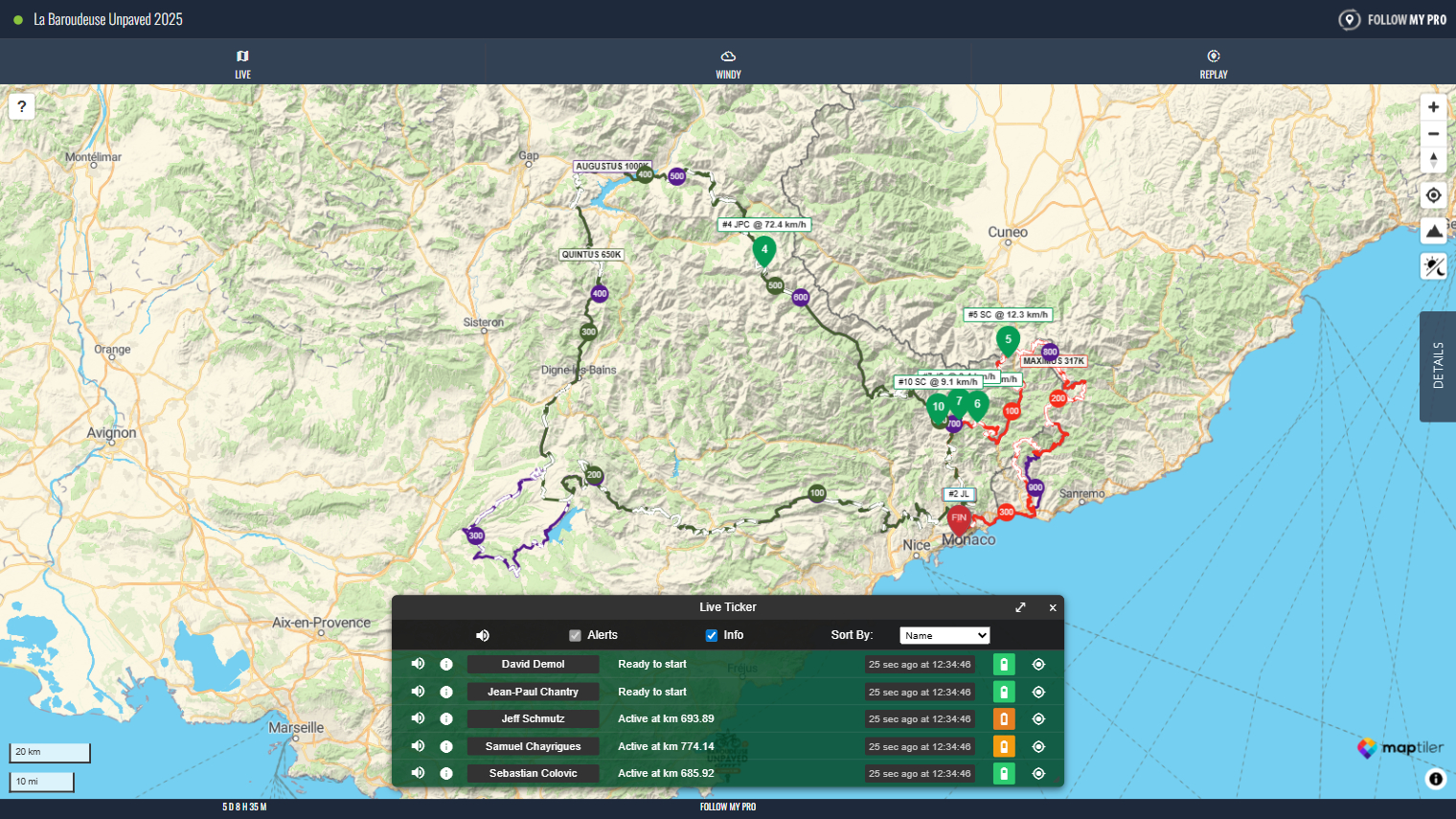
You can interact with the live ticker to control what is displayed or focus on a specific participant:
- Hover on a row to centre the map over that participant
- Hover over the battery icon to display the %
- Click on the GPS icon to centre and zoom the map on that participant
- Click on the speaker icon to mute alerts for that participant
- Click on the speaker icon at the top to mute all alerts
Expanded Live Ticker
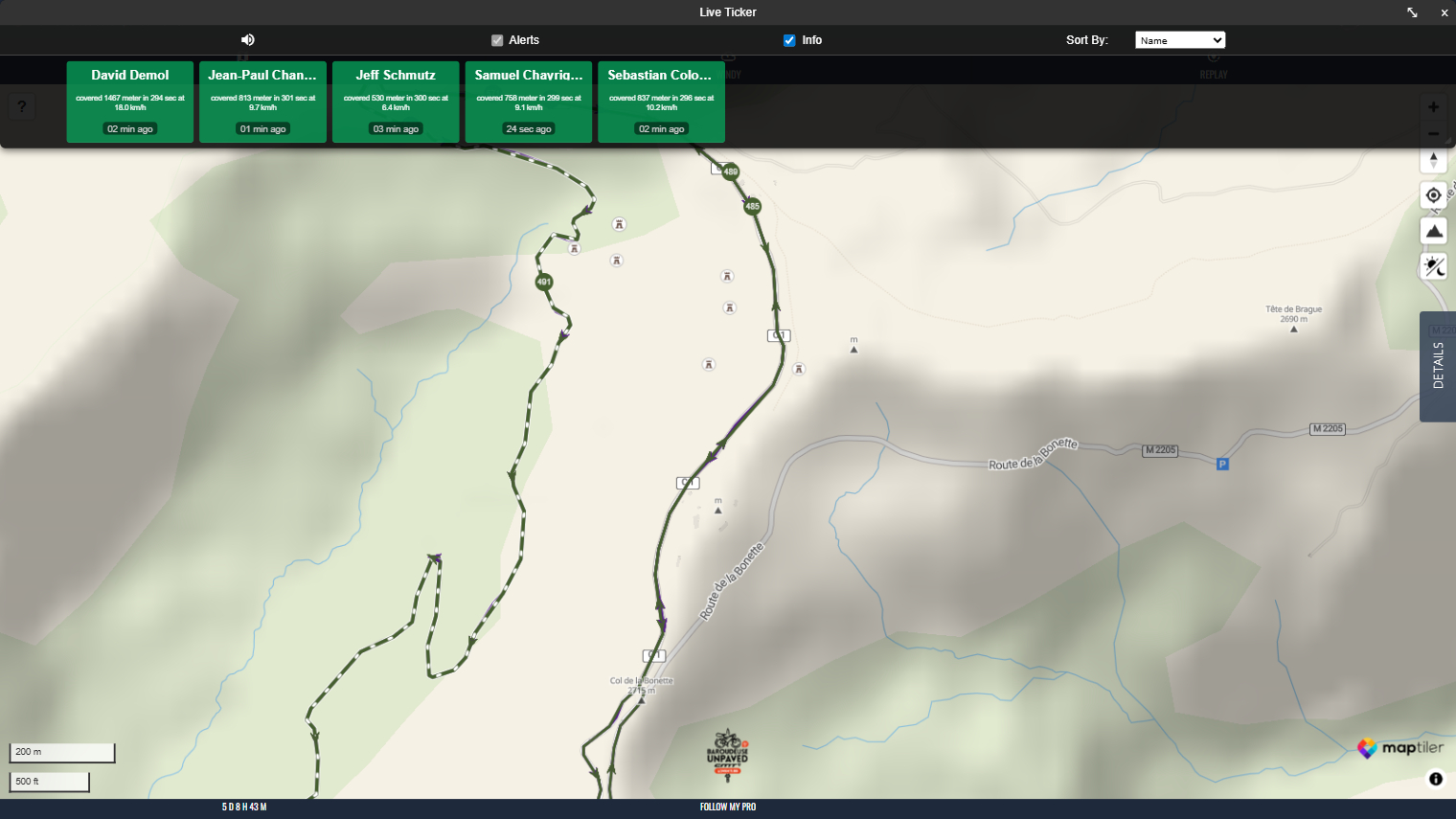
The live ticker can be expanded by clicking the arrow in the top right. This offers a slightly different view, potentially allowing for a clearer overview of all participants.