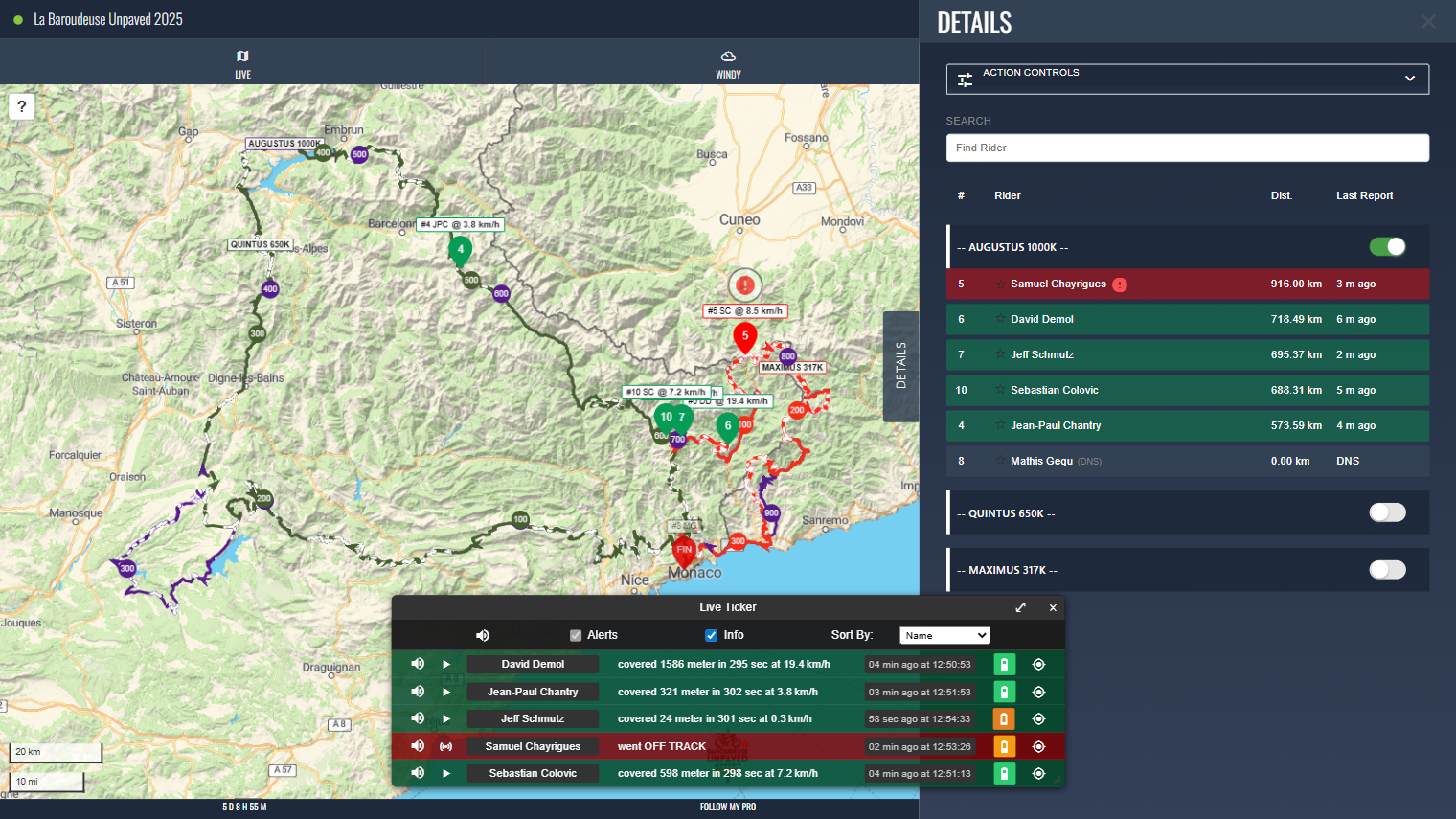
The Details Menu contains a list of participants on the map. Each participant row displays their name, number, distance and the last time their tracker updated.
These rows are colour coded based on the participants’ current alert statuses. Riders with alerts will display in amber or red, depending on the severity, with alert icons also appearing next to their name.
You can centre the map on a participant by clicking their row. This will also highlight their last update in the live ticker.