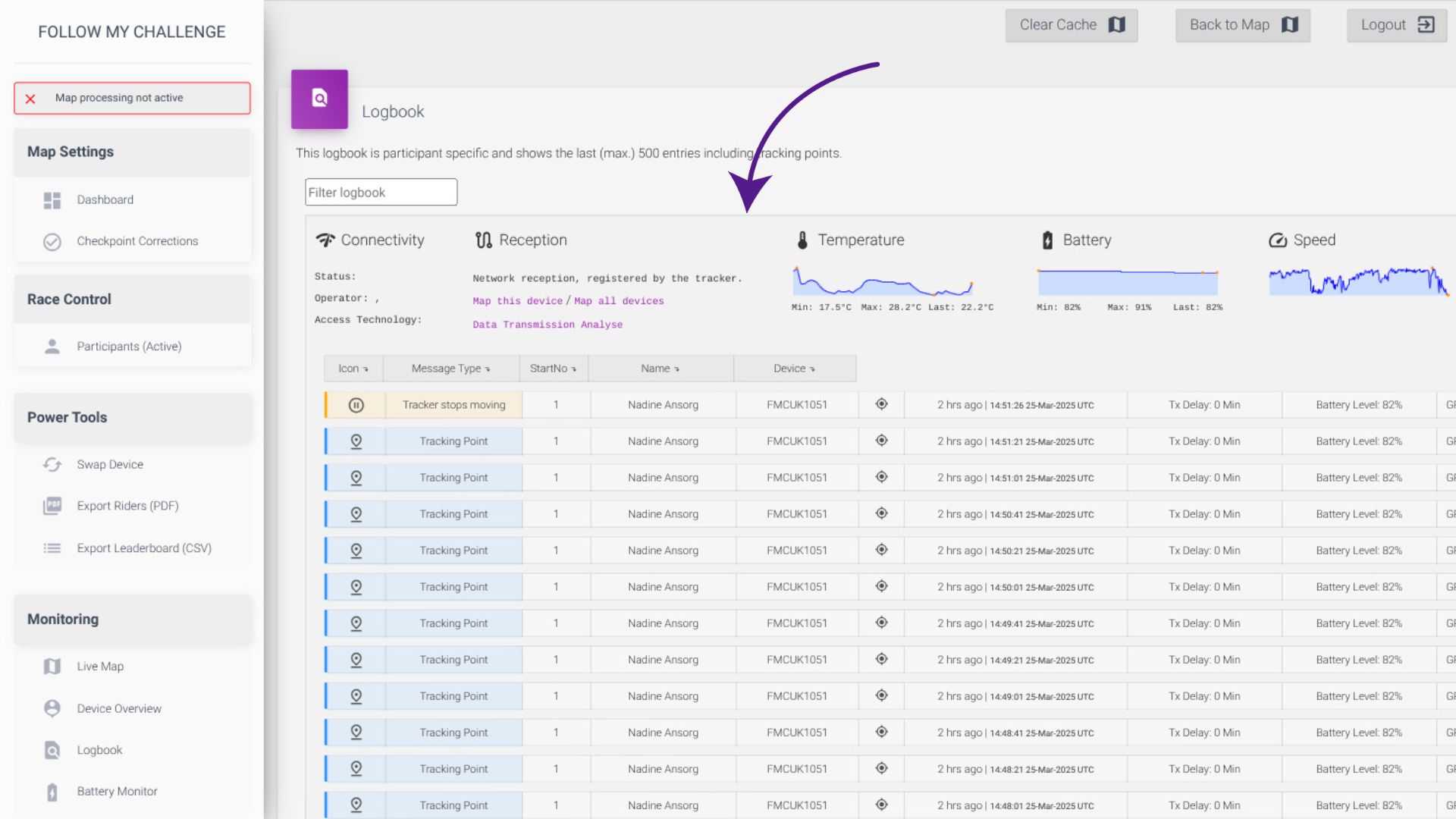
The Logbook allows you to access a detailed log of all data transmitted by trackers during an event. The logbook begins recording 48 hours before an event starts. On the main overview page, you will see only exceptional/notable messages.
The logbook is arranged in a table format, with the most recent data towards the top. The columns show you the type of message received (highlighted in a colour based on importance), as well as the start number, participant name and device ID.
You can use the filter to search by message type, tracker ID or participant name.
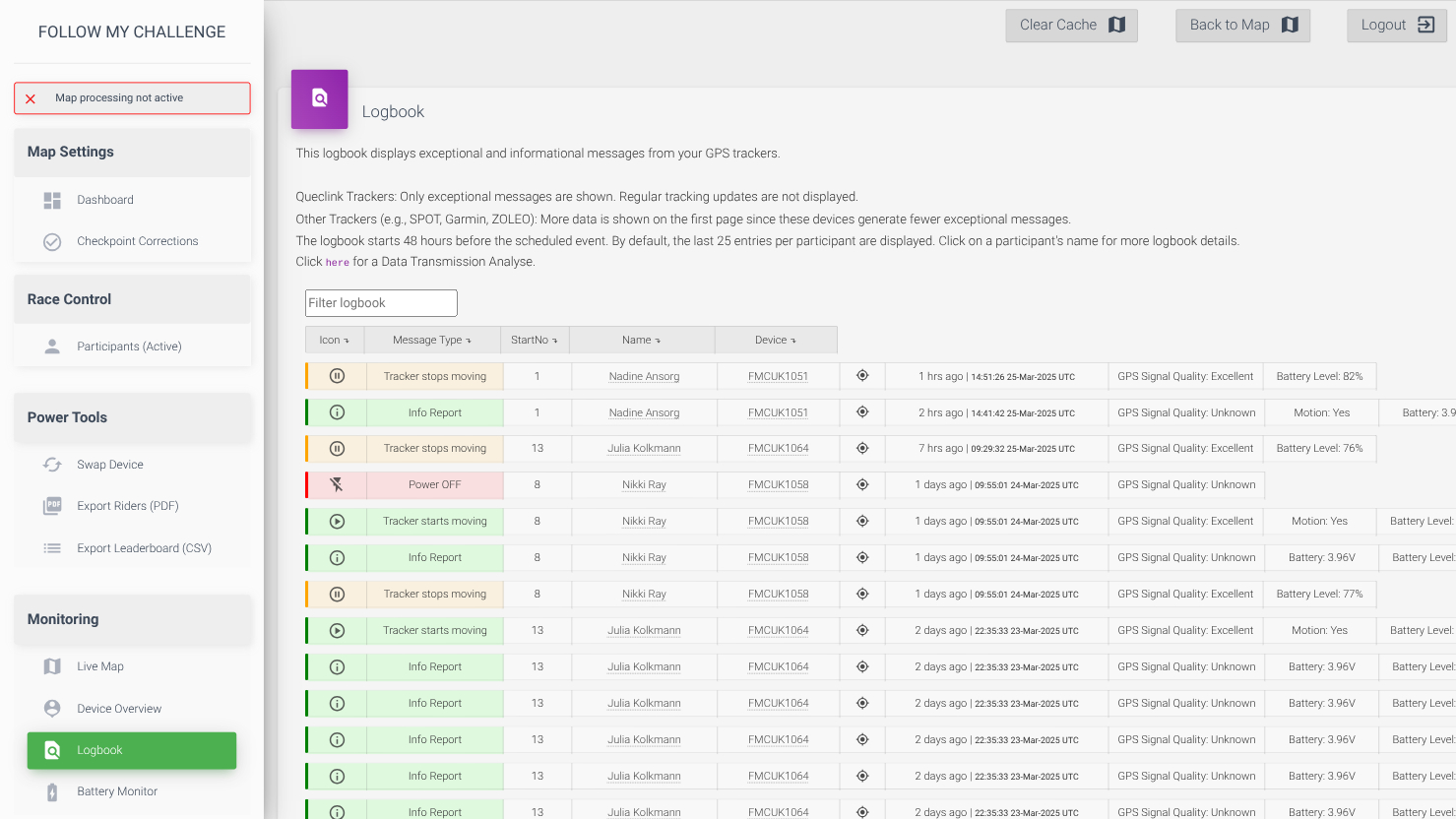
To see the location that the message/update was transmitted from, click on the location icon.
Specific Tracker Logbook
To see the detailed logbook for a specific tracker, click on the participant name or tracker ID. You can find the device you require by using the filter box to search.
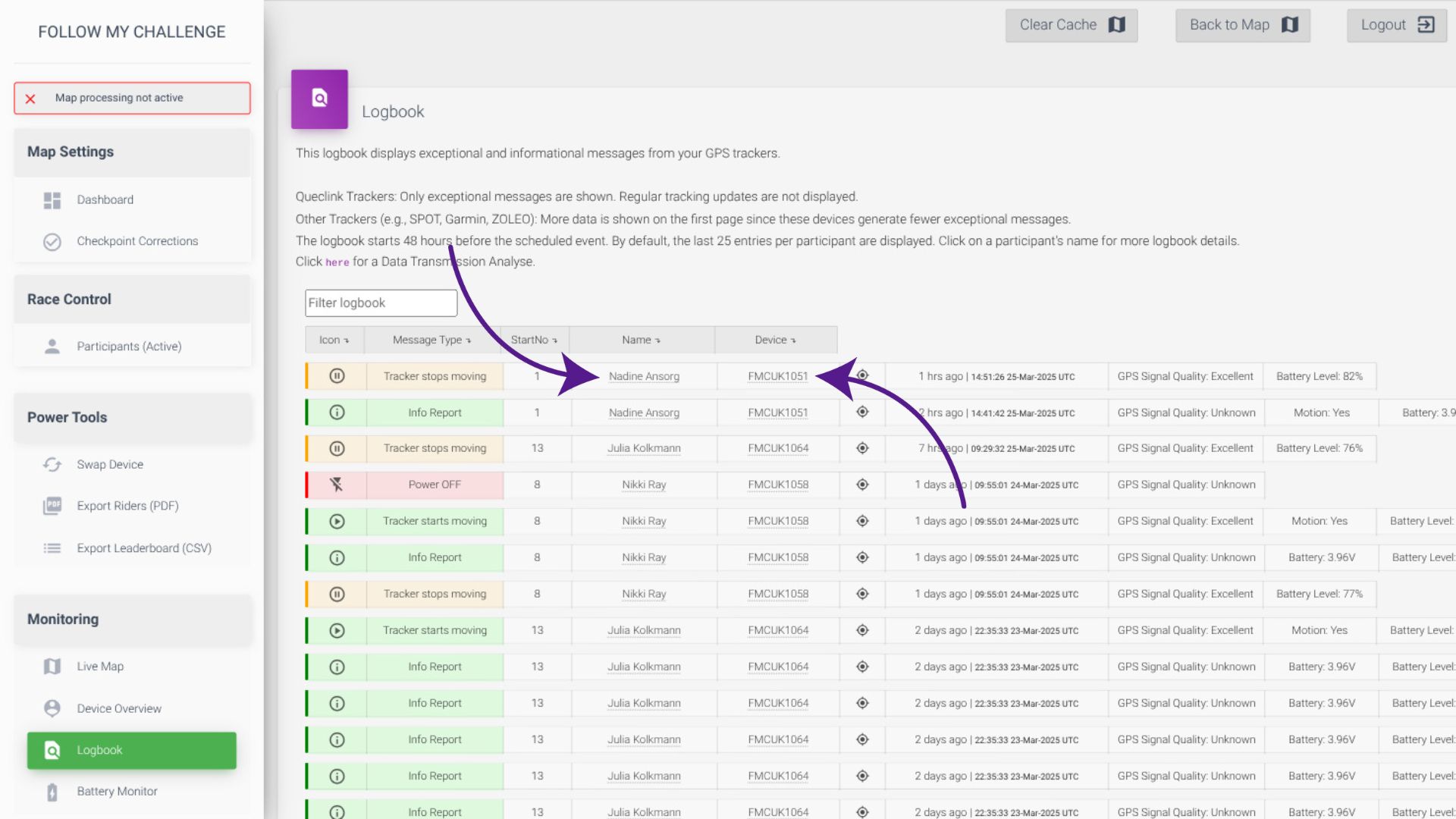
This will then open the logbook for this specific tracker, showing all data available. With our Queclink trackers, this means that location updates are shown as well, instead of just exceptional messages.
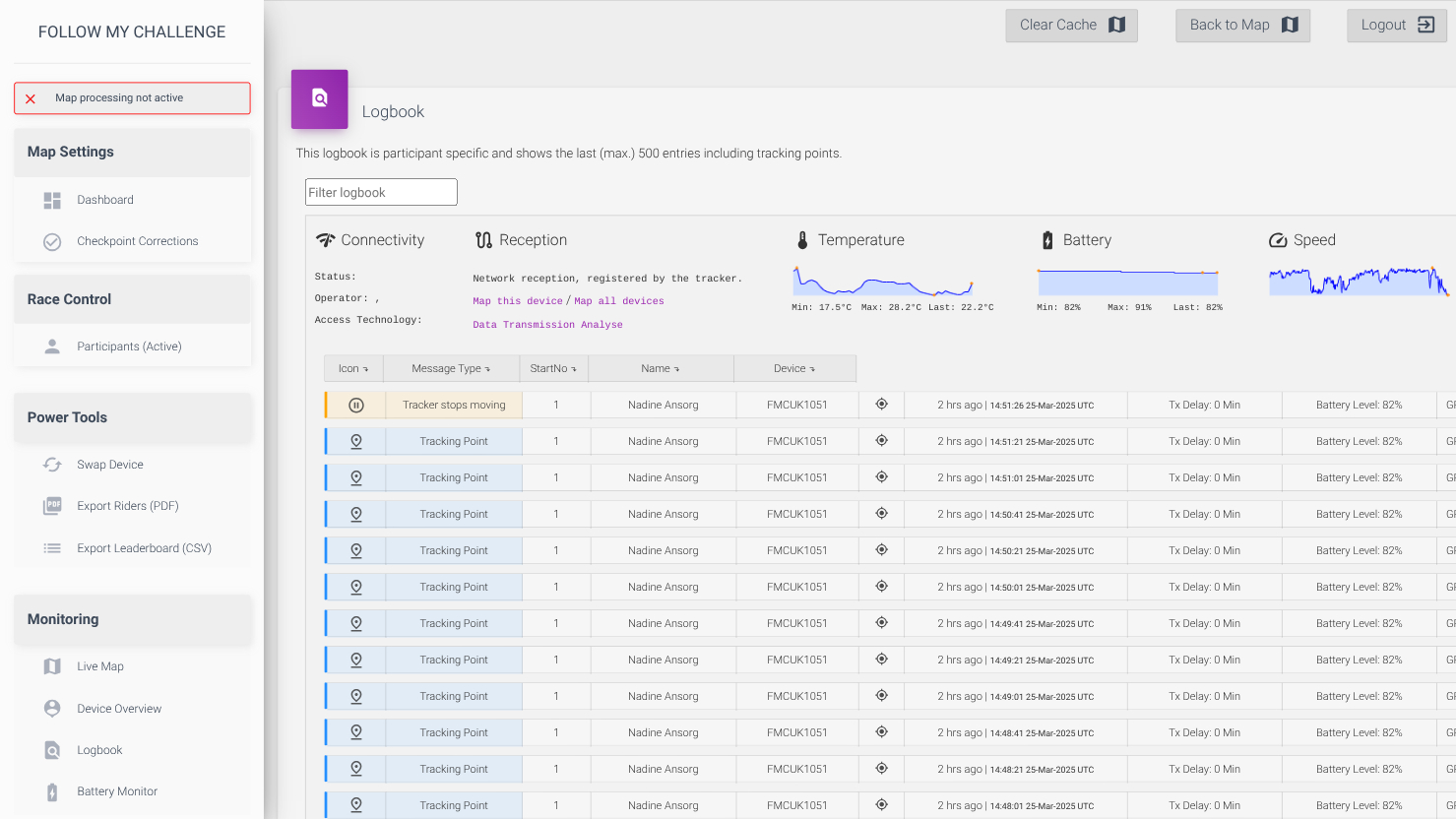
This also displays a dashboard at the top of the page presenting a visual overview of recent temperature, battery and speed data. You can also map the tracker’s transmission data to see if there have been significant gaps in coverage or connectivity issues.